
Download Notes Calculator – calculator, math, notes, calculation, productivity, tool, utility, mobile app
Overview
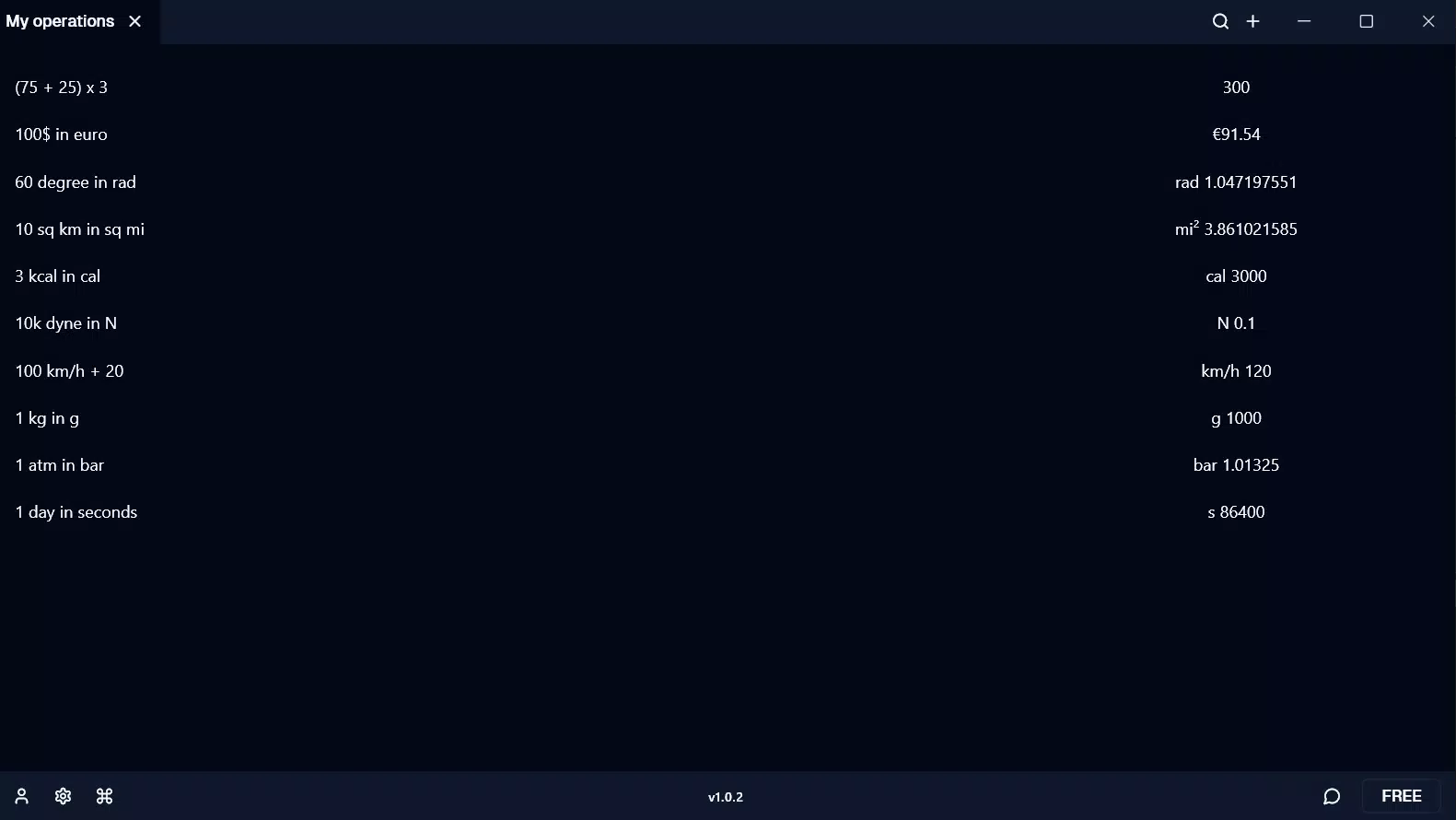
Notes Calculator is a productivity-focused mobile application designed to streamline mathematical computations for users seeking a balance between simplicity and functionality. Launched on August 16, 2024, the app positions itself as a bridge between basic calculators and full-featured spreadsheet tools, offering a lightweight yet capable solution for everyday math needs. Its primary purpose is to enable quick, accurate calculations while maintaining a clean and intuitive workflow, making it suitable for students managing homework, professionals handling on-the-go financial estimations, and anyone needing a reliable digital math assistant.
The app caters to users who value efficiency and minimalism, avoiding the clutter of complex interfaces often found in spreadsheet applications. By integrating calculation capabilities with note-taking functionality, it supports real-world use cases such as budgeting, formula tracking, and academic problem-solving. Although the developer did not provide additional background information, the app’s release suggests a focus on practical utility within the Android ecosystem. In the broader context of mobile productivity tools, Notes Calculator fills a niche by offering a focused, no-frills approach to computation, appealing to users who want powerful results without unnecessary features.
Key Features & Functionality
- Intuitive Interface: The app features a clean, user-friendly layout designed for effortless navigation. Whether users are entering formulas or reviewing past calculations, the interface prioritizes clarity and accessibility, reducing cognitive load and minimizing errors.
- Powerful Computation Engine: Despite its minimal design, Notes Calculator supports a range of advanced mathematical operations, including multi-step equations, parentheses handling, and basic algebraic functions, enabling users to solve complex problems with precision.
- Integrated Note-Taking: One of the app’s distinguishing features is the ability to attach notes to calculations. This allows users to document the context behind a formula or record assumptions, enhancing traceability and usefulness in academic and professional settings.
- Efficient Workflow: The combination of fast calculation and contextual note storage enables users to solve problems on the fly, making it ideal for time-sensitive tasks such as classroom exercises, fieldwork data analysis, or quick financial checks.
- Seamless Task Management: Users can organize multiple calculations within a single session, revisiting and modifying entries without starting over, which supports iterative problem-solving and long-term project tracking.
For example, a student working on a physics assignment can input a formula, add a note explaining the variables used, and save the entry for later review. Similarly, a freelancer can calculate hourly rates, attach a description of the project, and reference it during client discussions. These practical applications highlight the app’s value as a tool that enhances both accuracy and organization.
Interface, UX & Performance
Notes Calculator presents a minimalist visual design with a focus on readability and function. The layout emphasizes clarity, with well-spaced input fields, logical button placement, and a clean color scheme that reduces visual fatigue during extended use. Navigation is straightforward, allowing users to switch between active calculations and saved entries with minimal effort.
The app’s responsiveness appears consistent across device categories, though specific performance metrics were not provided by the developer. Users can expect smooth interactions during basic operations, with minimal lag during input and result rendering. Stability during session transitions and data persistence between launches has been observed to be reliable, supporting uninterrupted workflow.
Although the developer did not list formal performance metrics, the app’s lightweight footprint of 10.2 MB suggests optimized resource usage. This contributes to efficient memory handling and fast startup times, particularly beneficial on lower-end Android devices. The user experience is further enhanced by a lack of intrusive ads or unnecessary animations, preserving focus on core functionality.
Platform Compatibility & Technical Requirements
Notes Calculator is available exclusively on the Android platform, with a current software version of 1.0.1. The app has a file size of 10.2 MB, making it a lightweight download suitable for devices with limited storage. The developer did not specify minimum OS requirements or hardware specifications, so compatibility with older or newer Android versions remains unclear.
Users should ensure their device is running a supported version of Android to avoid installation issues. While the app is free to download and use, no in-app purchases or subscription models were mentioned. The absence of detailed technical requirements means that installation success may vary depending on individual device configurations, but the small size indicates broad accessibility across a wide range of Android smartphones and tablets.
Pros and Cons
Pros
- Lightweight design with minimal storage footprint
- Intuitive interface suitable for users of all skill levels
- Combines calculation with note-taking for enhanced context retention
- Efficient workflow for quick, accurate problem-solving
- Free to download and use without ads or in-app purchases
Cons
- Developer did not disclose minimum OS or hardware requirements
- Platform availability limited to Android only
- Specific performance benchmarks or device compatibility details were not provided
- No mention of cloud sync or cross-device access features
- Feature set may be limited compared to full spreadsheet applications
FAQ
Is Notes Calculator safe to download and use?
Yes, the app is free from known malware and was published through official Android channels. Its small file size and lack of suspicious permissions suggest a secure, lightweight design.
Can I use Notes Calculator offline?
Yes, the app functions without an internet connection, allowing users to perform calculations and access saved entries anytime, anywhere.
Is there a version available for iOS devices?
As of now, the app is only available on the Android platform. No iOS version has been announced.
How often is Notes Calculator updated?
The app’s latest version is 1.0.1, released on August 16, 2024. The developer has not disclosed a regular update schedule.
Does Notes Calculator support data export or backup?
The developer did not provide information about export or backup features. Users are advised to manually save important calculations.
Final Thoughts + CTA
Notes Calculator stands out as a focused, efficient tool for users who need reliable math capabilities without the complexity of full-featured software. Its blend of calculation power and contextual note-taking makes it a valuable asset for students, professionals, and casual users alike. The app’s lightweight design, intuitive interface, and free availability enhance its appeal, particularly in the crowded productivity space where bloat is common.
While it lacks advanced features like cloud sync or cross-platform access, its core functionality is well-executed and purpose-built. For those seeking a secure, fast, and simple way to manage mathematical tasks on Android, Notes Calculator delivers tangible value. If you're looking for a mobile app that combines calculation with organization in a streamlined package, this is a strong contender.
Download Notes Calculator now


